
Free · in Adam's Academy
The Guitar Tuner
Pluck a string and wait. The needle settles on the note and tells you sharp or flat. Or tune by ear against a tone.
Try it in the Academy → How to use it
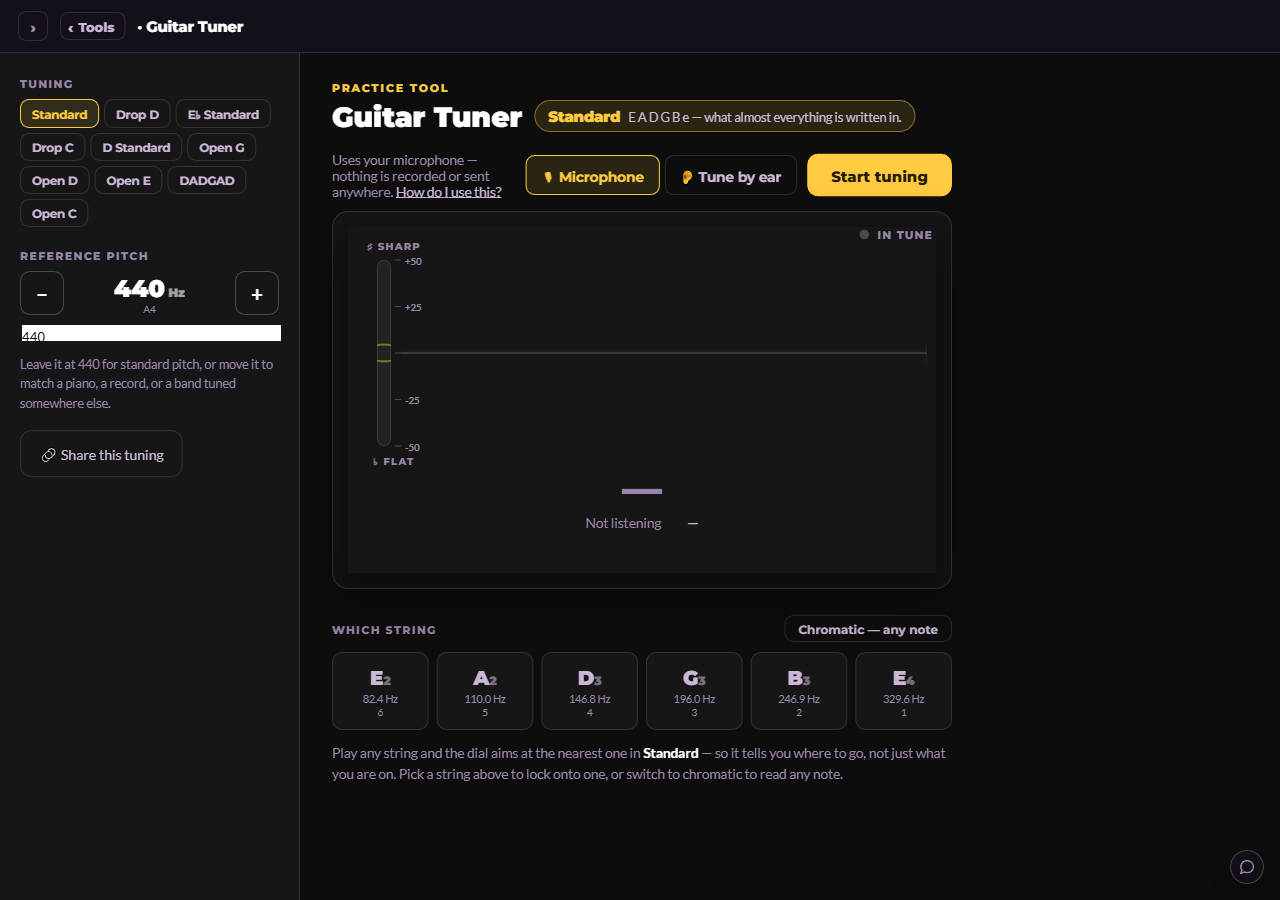
A tuner is the first tool anyone opens and the one most people never think about. This one is built the way Adam teaches tuning: play one clean note, let it ring, and watch the needle steady, because a needle you chase is a needle you overshoot.
It hears through your microphone, nothing is recorded or sent anywhere, and when the room is too loud for a microphone there is a second way in: a reference tone for each string, so you can tune by ear the way players did before there were tuners.
Who it is for. Every guitarist, every day, and especially anyone who has ever tuned a string sharp by chasing the needle.
What opens it. Standard tuning is open to everyone, no account needed. The other tunings come with a free account.
How to use it
- 1
Open it and press Start tuning
The browser asks for the microphone once. Say yes, and the dial goes live. If you opened the Academy from inside another app (Facebook, Instagram, Gmail), that app's built-in browser has no microphone, and the tuner says so and offers to open the page in Safari or Chrome.
- 2
Play one string and let it ring
The dial aims at the nearest string in the tuning you chose, so it tells you where to go, not only what you are on. Pluck once, cleanly, and wait about a second. Turn the peg while the note rings, in small moves. Flat means tighten; sharp means loosen a touch past flat and come back up.
- 3
Pick a string if the dial keeps guessing
The six strings sit under the dial. Press one to lock the tuner onto it, which helps on a low E with new strings that ring with a lot of overtone. Switch to Chromatic when you want the tuner to read any note at all, for checking a capo or a harmonic.
- 4
Change tuning
The list on the left has Standard, Drop D, E♭ Standard, Drop C, D Standard, Open G, Open D, Open E, DADGAD and Open C, each with a line about who uses it. The string names under the dial change with it. Standard is open to everyone; the rest come with a free account.
- 5
Tune by ear when the room is loud
Press Tune by ear. Each string has a button that sounds its reference tone: a pure tone, or a plucked guitar string. Play your string over it and listen for the slow wobble between the two. Tune until the wobble slows and stops. That is what in tune sounds like.
- 6
Reference pitch, if the band says so
Leave it at 440 unless you are matching a piano, a recording or a band that tunes somewhere else. On a laptop the reference pitch is on the left; on a phone it stays at 440.
Adam's tips
- Tune up to the note, never down to it. If you overshoot sharp, go flat and come back up so the string is pulling against the peg.
- New strings drift for a day. Tune, stretch each string gently, tune again.
- Tune from the low E to the high e, then check the low E once more. Tightening five strings changes the neck a little.
- Headphones are not needed for the microphone, but they help you hear the beats when tuning by ear.
Questions people ask
- The tuner says it has no microphone.
- You are in an app's built-in browser, or the page is not on https. The tuner offers a button to open itself in Safari or Chrome; the tune-by-ear mode works anywhere.
- Does it record me?
- No. The sound is analysed in your browser and never leaves it.
- Can I tune a bass or a ukulele?
- Chromatic mode reads any note, so yes for checking pitch, though the string buttons and tunings are for a six-string guitar.
- What is the phone reference pitch?
- 440. The adjustable reference is a laptop setting, because on a phone it was pressed by accident more often than on purpose.
Try it now
Standard tuning is open to everyone, no account needed. The other tunings come with a free account.
Open Guitar Tuner in the Academy → What the membership includes
Already a member? Go straight to the tool.
Share this guide
The caption and the teaser below are written to be lifted as they are.
A tuner that tells you which way to go from the note you are on. Pluck once, wait a second, turn the peg while it rings. Ten tunings, a tune-by-ear mode for loud rooms, and nothing recorded. Free in Adam's Academy (link in the guide).
Stop chasing the needle
The Academy's tuner is built the way Adam teaches tuning: one clean note, let it ring, small moves on the peg. Here is how to use it, tune by ear when the room is loud, and switch to Drop D or DADGAD in one press.
The video walkthrough
Coming soon. It follows this script, about 1.7 minutes.
- 10sOpen. This is the tuner in Adam's Academy. Open Tools, Guitar Tuner, press Start tuning, and say yes to the microphone.
- 25sOne note, let it ring. Play the low E once and take your hand off. Watch the needle settle. Now turn the peg while it rings. Small moves. Flat, tighten. Sharp, go a touch flat and come back up.
- 15sLock a string. If it keeps guessing, press the string under the dial to lock onto it. Chromatic reads any note, for a capo or a harmonic.
- 15sAny tuning. Down the left: Drop D, E flat, Open G, DADGAD. Pick one and the string names change with it.
- 25sBy ear. Loud room? Tune by ear. Press the string's tone, play yours over it, and listen for the wobble. Slow it down to nothing.
- 10sInto the Academy. Standard tuning is free for everyone. A free account opens the rest, plus the Metronome, the next tool along.
The other tools
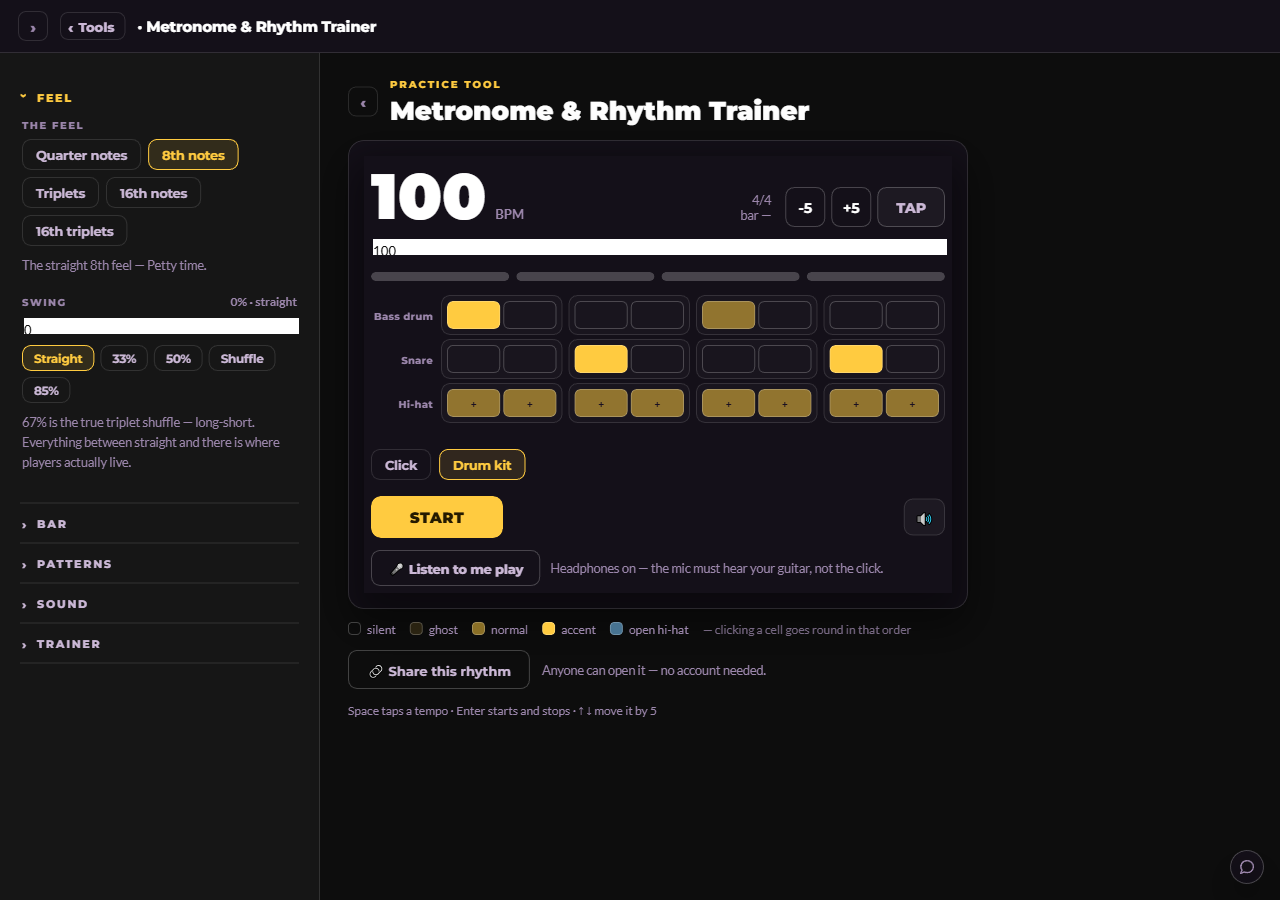 The Metronome & Rhythm TrainerA metronome that swings, plays odd meters, brings a drum kit, and listens back to check whether your time is actually solid.
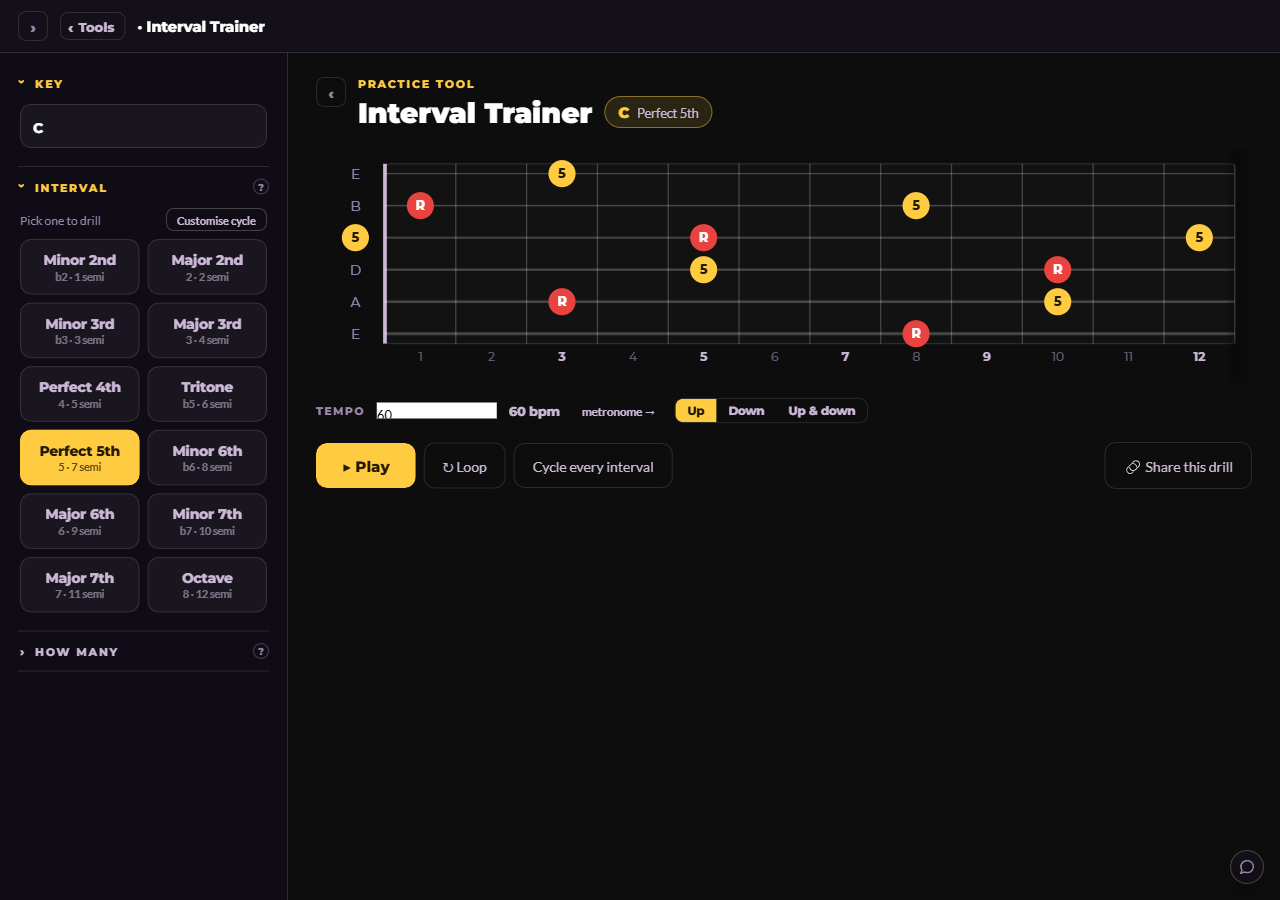 The Interval TrainerEvery interval, in every key, lit up everywhere it falls on the neck at once. Ear training with your fingers.
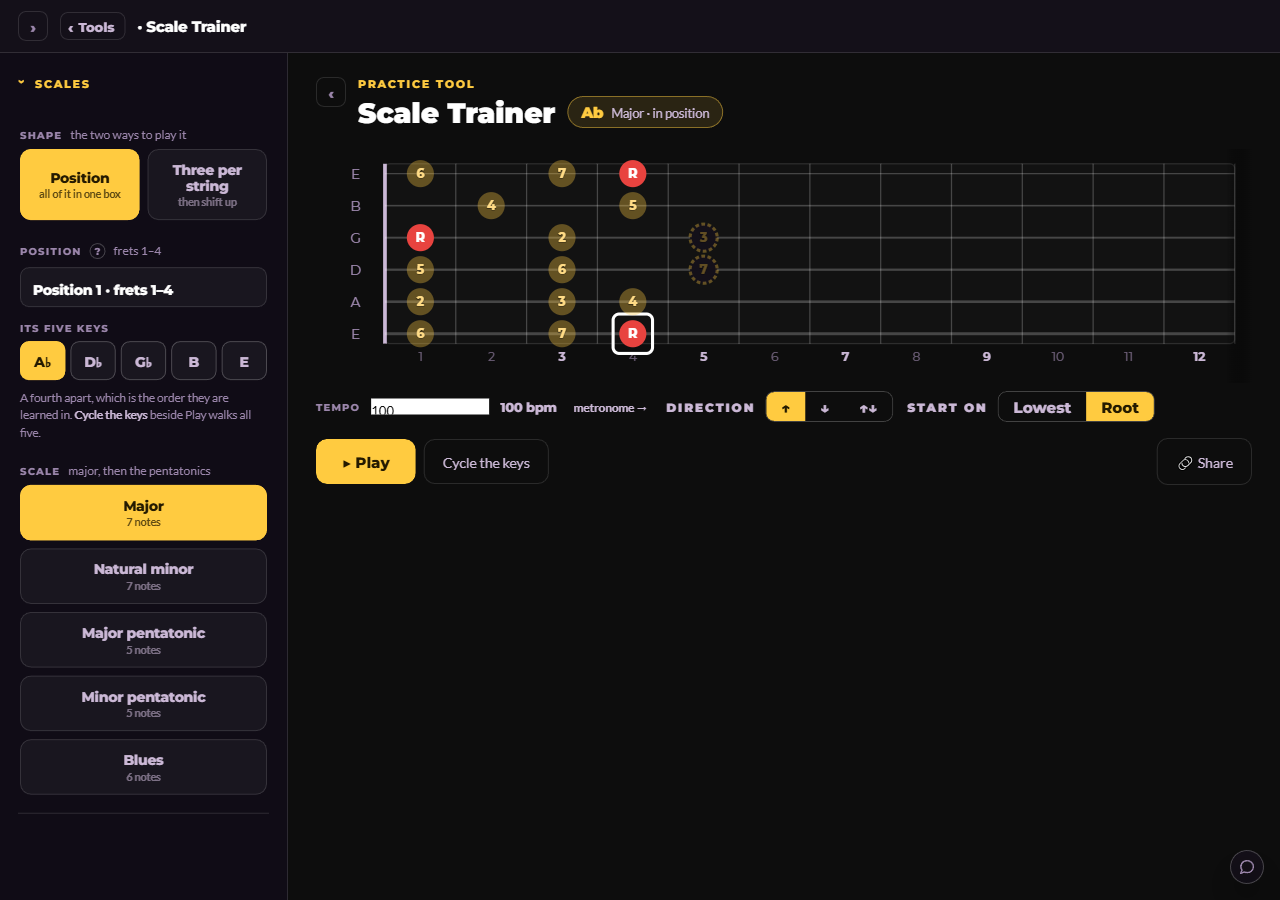 The Scale TrainerEvery scale, in every key, in the positions Adam teaches them in, played back at your tempo while the neck shows you where you are.